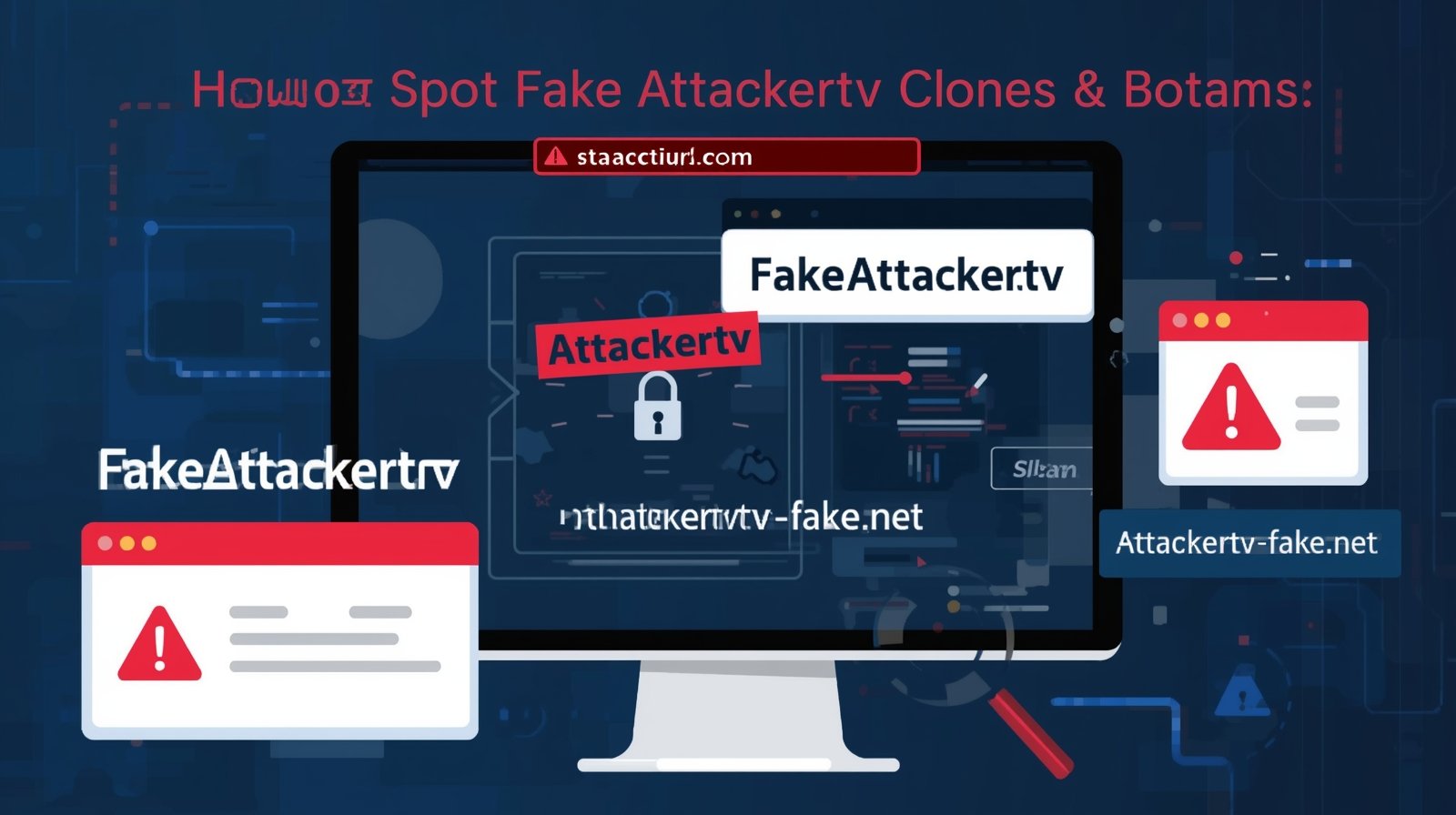
With the rising popularity of Attackertv, users searching for movies, TV shows, and streaming attackertv content online often encounter fake clones, scams, and phishing sites. These fraudulent platforms may mimic the real site, tricking users into downloading malware, revealing personal information, or falling for deceptive ads.
This guide will teach you how to identify fake Attackertv sites, perform quick security checks, and safely navigate the streaming landscape. Following these steps protects your devices, data, and online privacy while ensuring you access content responsibly.
Visual and Technical Red Flags
Fake Attackertv sites often attempt to mimic the appearance of the official platform, but subtle differences can reveal their illegitimacy.
Suspicious Domain Names
Clones frequently use domains that are slightly altered, like misspelled versions of attackertv.so or unusual extensions. Examples include attacker-tv.com, attackertv-stream.net, or attackertv.so-free.xyz. Users should always verify the domain carefully before clicking any links.
Missing or Invalid SSL Certificates
Legitimate streaming sites use HTTPS to secure traffic. Fake clones often lack SSL or have invalid certificates. Look for the padlock icon in your browser and avoid sites that show “Not Secure.”
No Contact Information or Fake Details
Genuine websites provide contact emails, social media links, or support forms. If the site lacks these or provides obviously fake info, it is likely a scam.
Odd Download Prompts or Pop-Ups
A key warning sign is when the site immediately asks you to download an APK, software, or browser extension. Fake Attackertv clones often push downloads containing malware or adware. Always avoid unsolicited downloads.
Excessive Ads or Redirections
While some ads may appear on legitimate platforms, sites with constant pop-ups, redirect chains, or prompts to complete surveys are typically unsafe.
Quick Browser Tests to Verify Legitimacy
You don’t need to be a cybersecurity expert to check if a site is fake. These browser-based checks help identify fraud quickly.
WHOIS Lookup
Check the domain registration using a WHOIS search. Look for recent registration dates, hidden owner details, or countries unrelated to the official service. Freshly registered domains with obscured contact info are often suspicious.
Certificate Inspection
Click the padlock icon in the browser to view SSL certificate details. Confirm that the certificate is issued to the correct domain and by a trusted certificate authority.
Sandbox or Virtual Machine Testing
For tech-savvy users, opening suspicious sites in a sandbox or virtual machine allows you to observe behavior without risking your main device. This is especially useful if a site prompts APK or file downloads.
Reddit and Community Validation
Checking forums like attackertv so Reddit or other community threads can help verify whether others have reported issues or scams. Look for consistent reports of fake sites or malware warnings.
How to Report Scams and Malicious Sites
Taking action against fake sites protects both yourself and others.
Browser Reporting Tools
Modern browsers like Chrome and Firefox allow users to report malicious websites directly. These reports contribute to blacklists and warnings.
Domain Registrars and CERT
You can notify the domain registrar about phishing or cloned domains. Additionally, national CERT (Computer Emergency Response Teams) programs accept scam reports to help prevent further harm.
Community Sharing
Posting alerts on trusted forums or subreddits, such as those dedicated to Attackertv discussions, spreads awareness and helps others avoid malicious platforms.
Safe Approach for Users Searching for Attackertv
Always type the official domain manually rather than clicking on third-party links.
Avoid downloading APKs or software from unknown sources.
Rely on community reports and trusted guides to verify the site’s legitimacy.
Use ad blockers and antivirus software to reduce exposure to malicious content.
Following these precautions significantly reduces the risk of malware infections, phishing attacks, or data theft.
FAQs
How can I tell if an Attackertv site is fake?
Check the domain spelling, SSL certificate, contact info, and presence of suspicious download prompts. Community feedback on Reddit is also a reliable indicator.
Is it safe to download Attackertv APKs?
No.Attckertv APKs from unofficial sources may contain malware. Use official or legal streaming apps instead.
What should I do if I encounter a phishing site?
Report it via your browser, domain registrar, or national CERT program. Avoid entering personal information.
Are all cloned sites scams?
Most clones are malicious, but some may just redirect to legitimate content. Always verify using WHOIS, SSL, and community reports.
Can Reddit help identify fake Attackertv sites?
Yes. Threads like attackertv so Reddit scams or discussions on downtime often alert users about fake or cloned platforms.
Conclusion
Fake Attackertv clones, phishing sites, and scams are prevalent due to the platform’s popularity. Recognizing visual red flags, performing quick browser checks, and consulting trusted communities are crucial to staying safe. By following this security checklist, users can protect their devices, data, and privacy while still enjoying online streaming content responsibly.
Focusing on awareness and safe practices not only prevents malware or phishing attacks but also builds trust in informational and protective guides — enhancing the website’s authority in the streaming security niche.